Organize the whole narrative
Keep projects, plots, episodes, scenes, characters, locations, story objects and notes connected in one native workspace.
Native story planner for iPhone, iPad and Mac
One calm place for the characters, plots, scenes and connections that make a story hold together.
Structure without the straitjacket
WriCo helps novelists, screenwriters and narrative designers move from first idea to a coherent project bible—with native tools that adapt to the way they write.
WriCo, in one sentence
WriCo, also known as Writer Copilot, is a native story-planning app that helps writers organize, visualize and test the continuity of long-form narratives.
Build the system your story needs: characters and relationships, locations and objects, plots and scenes, notes and timelines. WriCo keeps those elements connected without forcing every writer into the same method.
Built around the story
From the first beat to the final export, WriCo turns scattered notes into a story system you can actually read at a glance.
Keep projects, plots, episodes, scenes, characters, locations, story objects and notes connected in one native workspace.
Ask for help when you want it—then stay in control of the voice, structure and final decision.
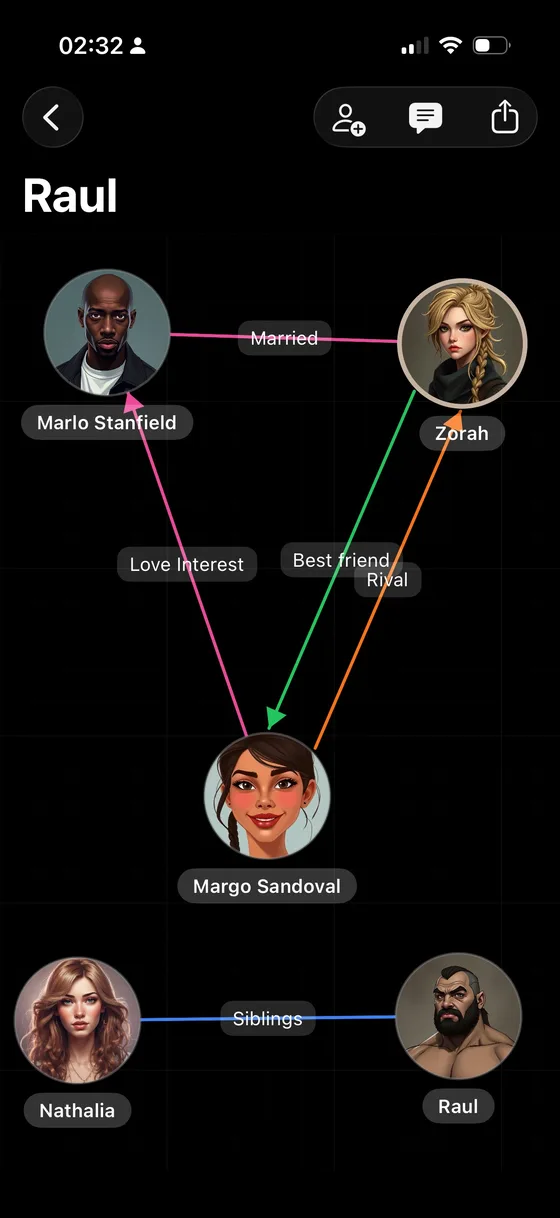
See character relationships as a visual network instead of another flat list.
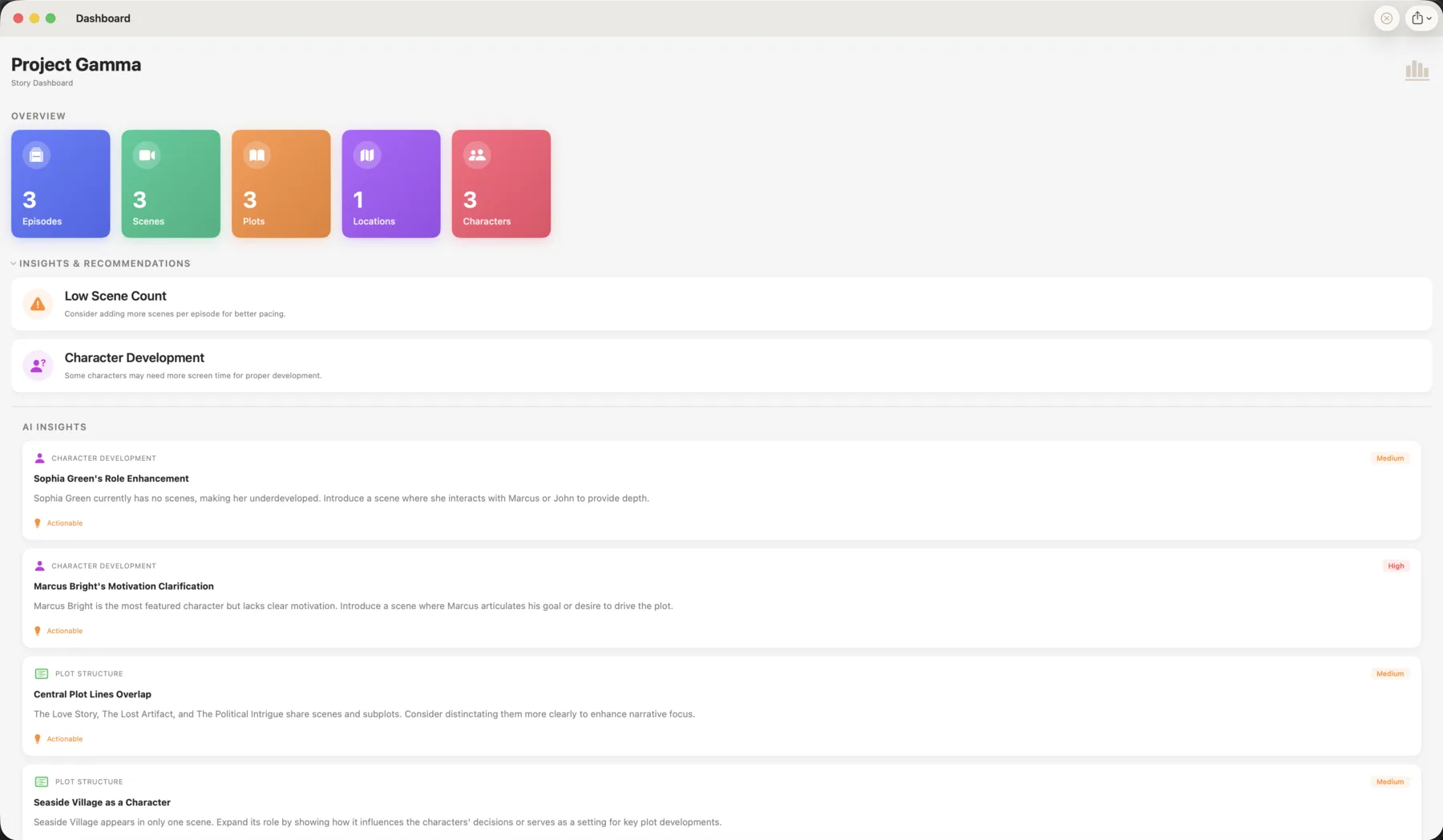
Review AI-assisted observations about plot structure, character development and continuity while there is still time to reshape the draft.
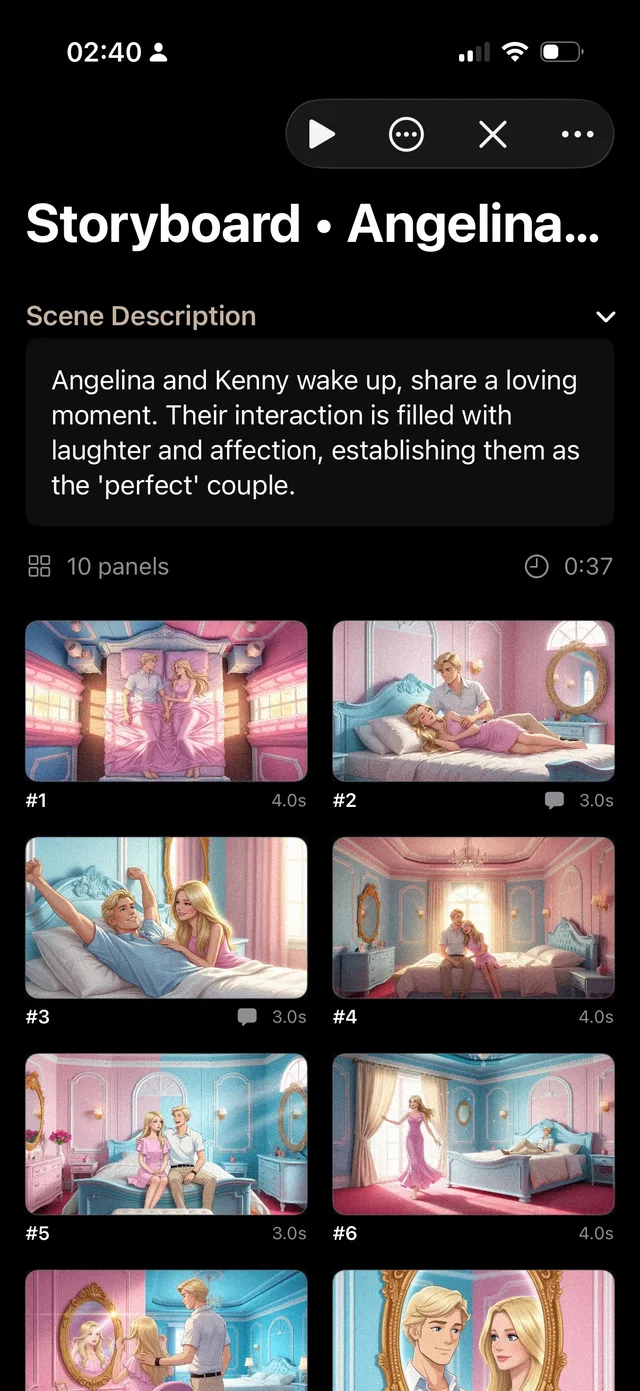
Plan visual beats, shots, composition and timing for novels, scripts and game narratives that benefit from a visual pass.
Use timelines, scene statistics and story-object tracking to spot gaps, pacing shifts and unresolved setup.
A flexible workflow
Outline first or discover as you write. WriCo supports both without turning your process into a template.
Create the people, places, objects, notes and rules that give the narrative its shape.
Link plots to acts, episodes and scenes, then reorder the structure as the story evolves.
Inspect relationships, timeline, pacing and coherence, then export a shareable PDF project bible.
A writer-led approach to AI
WriCo can generate, summarize and analyze material when invited. It does not make the creative choices for you, and its suggestions remain suggestions.
Start without friction
Advanced cloud AI and image features are optional. The App Store always shows the current price for your region.
Build and organize the foundations of a writing project on iPhone, iPad and Mac.
Subscriptions and credit packs unlock eligible advanced AI writing and image tools.
Availability and included features can vary by app version, region and selected plan. Purchases are managed by Apple.
Android early access
Tell us what you want to hear about. Your choices stay separate, and you can change your mind at any time.
Clear answers
Need something else? Email info@writercopilot.app.
WriCo, also known as Writer Copilot, is a native story-planning app for novelists, screenwriters and narrative designers. It brings characters, locations, objects, plots, scenes, notes, timelines and storyboards into one workspace.
WriCo is available for iPhone, iPad and Mac.
WriCo is free to download and includes optional subscriptions and in-app purchases for advanced AI writing and image features. Current regional pricing is displayed in the App Store.
WriCo is designed to assist rather than replace the writer. Its optional AI tools can suggest or generate material on request, summarize episodes, help classify scenes and analyze coherence, while the story structure and editorial decisions remain yours.
Private projects are stored locally and can be synchronized across iPhone, iPad and Mac through iCloud when iCloud sync is enabled. Cloud AI and collaboration features send the content needed to provide the service you select.
Yes. WriCo can export a configurable PDF project bible that brings selected story information into a shareable document.
Find verified product facts, approved descriptions, the current app icon and high-resolution screenshots for iPhone, iPad and Mac.
Open the press kitYour next story has a shape
Download WriCo free and build the characters, worlds and scenes behind your next narrative.