
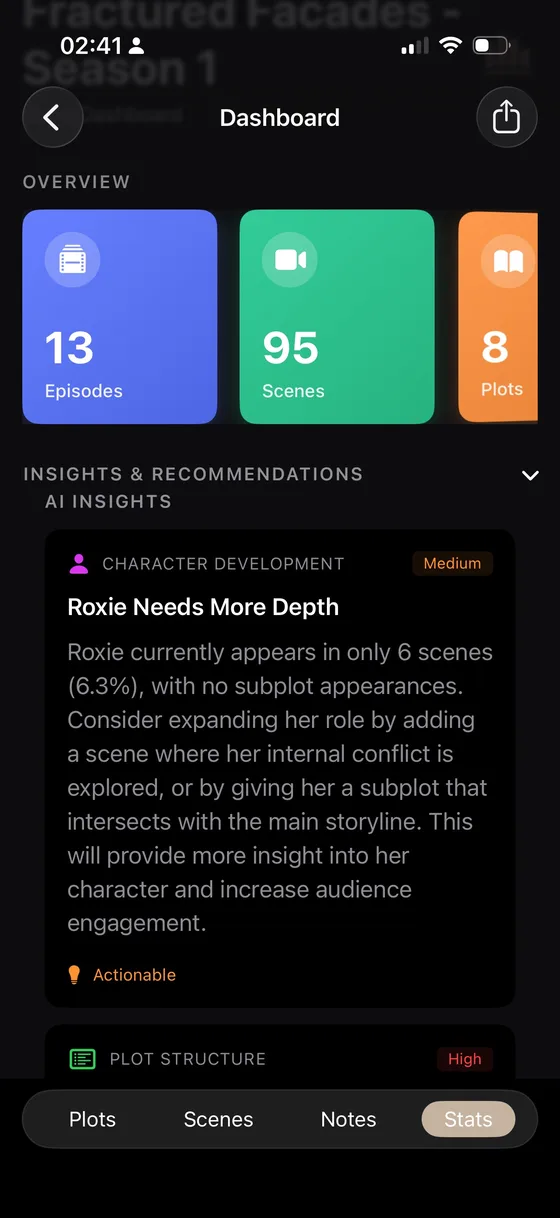
A coherence review is an assistant for finding questions across a growing project. It is not an automatic rewrite and it does not replace checking the source scene yourself.
Prepare the project
Before running an optional cloud or AI-assisted review, make sure the project contains the facts you want compared: character goals, relationships, scene dates, locations, plot threads and world rules. Empty fields cannot support a reliable observation.
Run and read a review
- Open the analysis or insights area available in your WriCo version and plan.
- Choose the review that matches your question: character consistency, timeline, world rules or narrative gaps.
- Wait for the report to finish. Cloud features may be unavailable offline or when a quota has been reached.
- Open an observation and follow its source scene or element.
- Decide whether to change the story, correct the project data or dismiss the observation.
Three checks before accepting a suggestion
- Evidence: which scene or field triggered the observation?
- Intent: is the apparent contradiction actually a reveal, a lie or a deliberate exception?
- Consequence: what story change would make the reader experience the intended logic?
When the report is unavailable
Check the account or plan access, network connection, project size and current service status. If the request failed, return to the source project and retry later rather than repeatedly submitting the same request.