
WriCo becomes useful as soon as one story has a home, one character has a desire and one scene has a consequence. Use this short path to reach that first useful view without filling every field.
1. Choose where to work
Install WriCo from the App Store on iPhone, iPad or Mac. The Apple app requires iOS 18 or later, iPadOS 18 or later, or macOS 15 or later. For a shared project, open the WriCo web app and continue with Apple.
Private projects are created and edited in the Apple app. They can stay local or use iCloud when iCloud sync is enabled. The web app is for collaborative cloud projects; it does not open a private iCloud project.
2. Create the project container
- Select New Project.
- Enter a working title, genre and short premise. These fields can evolve later.
- Choose the division that matches your current thinking: episodes, chapters or parts.
- Save the project before adding detail. The project is now the home for characters, locations, objects, plots, scenes and notes.
3. Add only the story anchors
Create two or three characters, one important location and the central plot. Give each character an outer goal and a pressure point. Add relationships when they change what a character can do.
Do not wait for perfect biographies. A short, testable fact is more useful than a blank profile that feels complete in theory.
4. Make the first scene concrete
Create a scene and choose its point-of-view character. Write one sentence for the goal, one for the conflict and one for the outcome. Add a location, participants and dates when they matter to continuity.
5. Take the first review pass
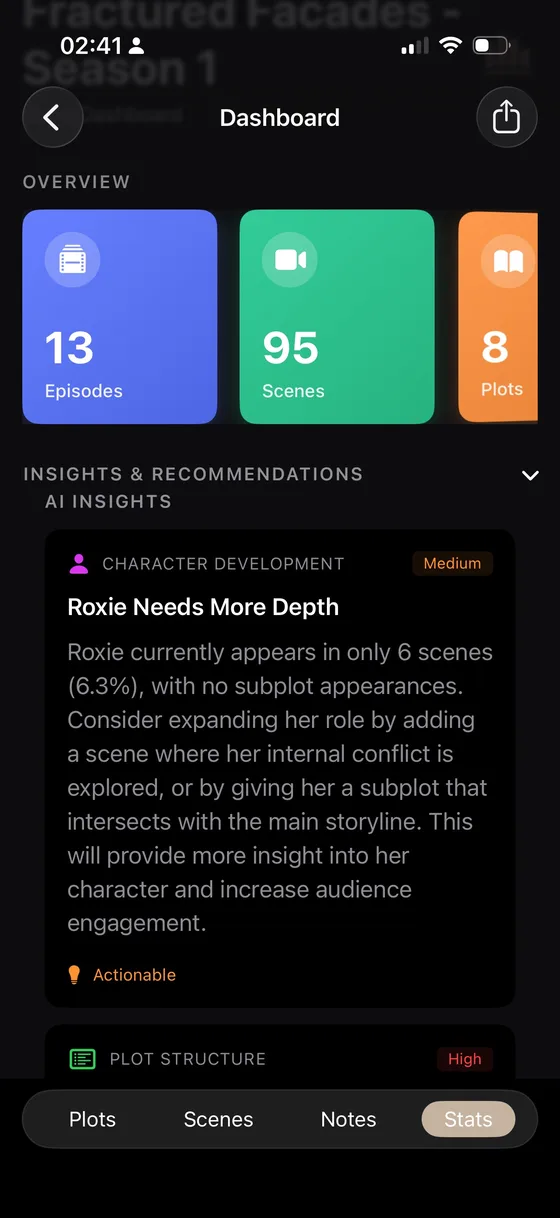
Open the dashboard to see your project totals, scene distribution and available insights. On supported plans and versions, run an optional coherence review after you have enough material for a meaningful comparison.
Your next step is usually one of three things: deepen a character, connect a scene to a plot, or add the location detail needed to make the next scene specific.
What to do next
- Build the story world with connected elements.
- Design purposeful scenes instead of isolated summaries.
- Step back from the draft with the timeline and storyboard.